Introduction
The following products’ web pages use Microsoft Silverlight, which require the Internet Explorer renderer and a plugin installed locally on the connecting client computer:
- ION-E100-HD Encoders
- ION-R100 Decoders
As of June 15th, 2022, Internet Explorer is no longer supported by Microsoft. This article presents alternatives to access the web configuration page of these products from modern web browsers.
Alternative to Internet Explorer
IONODES suggests two alternatives to Microsoft Internet Explorer.
Microsoft Edge in Internet Explorer mode
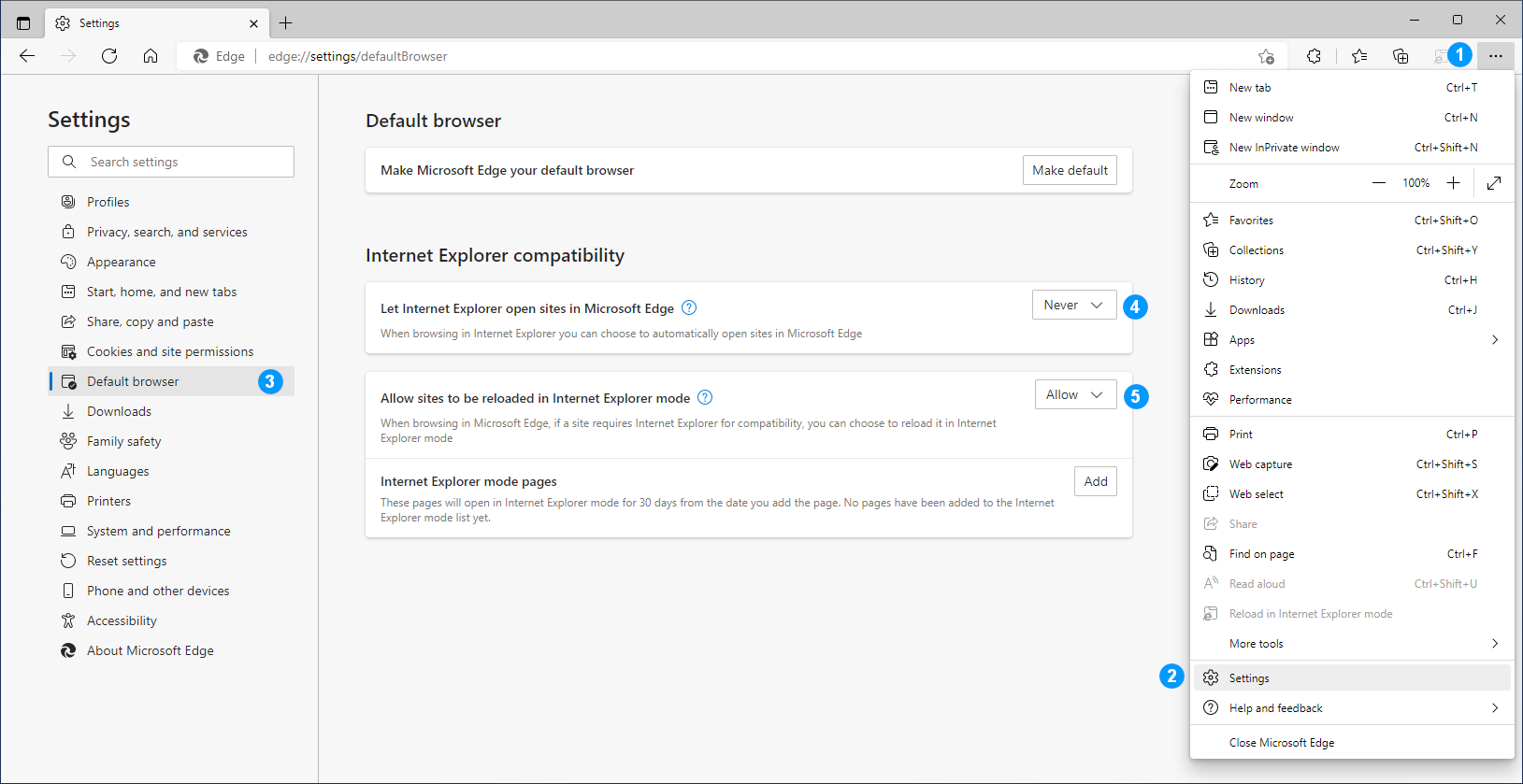
- Open Microsoft Edge and click on the “…” toolbar button
- In the context menu, select Settings
- In the Settings pane, select Default browser
- In the Internet Explorer compatibility section, set the Let Internet Explorer open sites in Microsoft Edge to Never, and
- Set the Allow sites to be reloaded in Internet Explorer mode to Allow
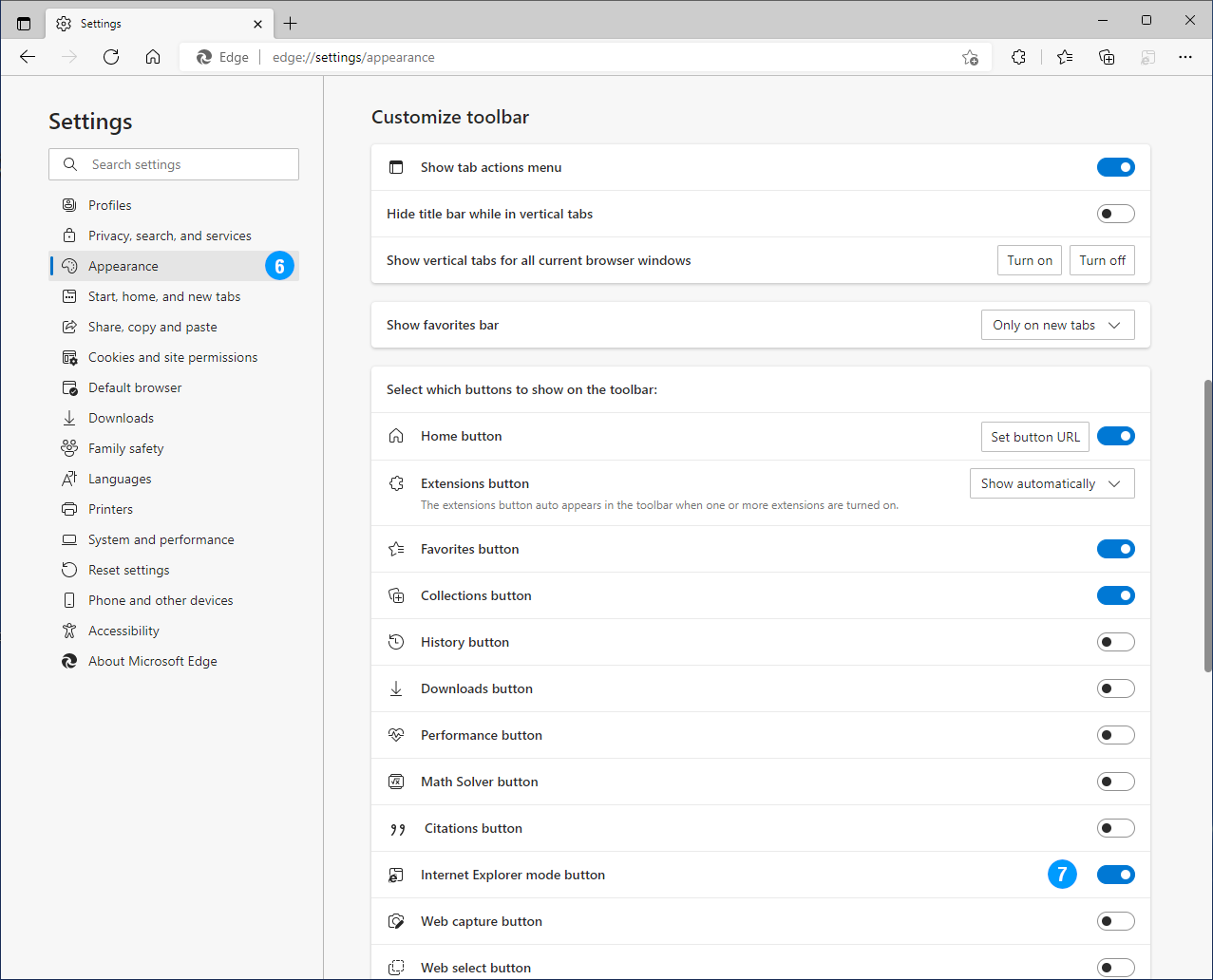
- In the Settings pane, select Appearance
- In the Customize toolbar section, enable the Internet Explorer mode button
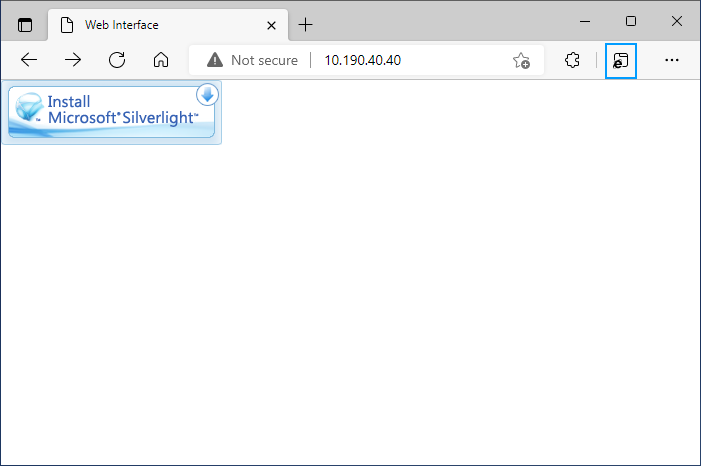
The ION-E100-HD or ION-R100 web interface will open on the Install Microsoft Silverlight image. Click on the Internet Explorer mode button in the extension section of the toolbar to reopen it in proper mode.
Internet Explorer Tab Extension
Extensions are available on the Chrome Web Store for Google Chrome, Microsoft Edge or other browsers. These extensions typically require installing a plugin locally, and work in a similar fashion as Internet Explorer mode on Edge.
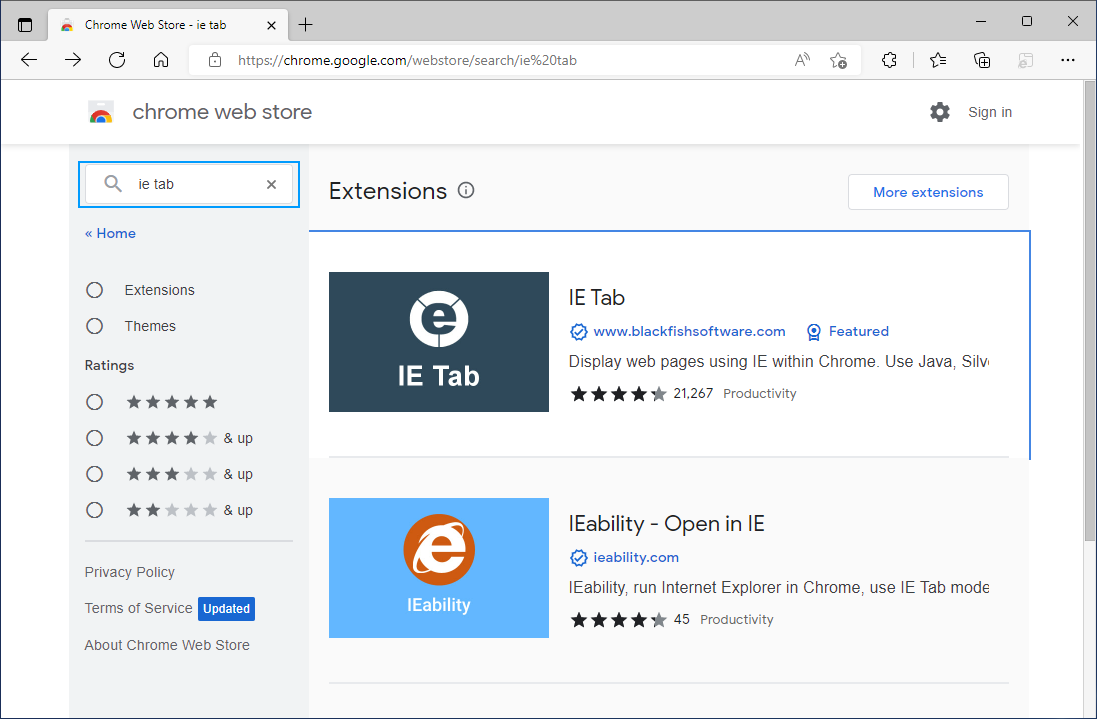
- Visit the Chrome Web Store at https://chrome.google.com/webstore/category/extensions
- Search for IE Tab
- Explore available extensions and follow extension-specific instructions